
Yono Games Withdrawal: 5 Steps to Withdraw Money Fast
Real-money gaming has taken India by storm, and Yono Games remains one of the most trusted platforms for Rummy, Teen Patti, Ludo, and Slots. But once you’ve won, the next big question is always: how do you actually get your money? The payout mechanism on Yono Games is designed to be user-friendly, yet many players stumble over KYC or minimum balance rules. This guide walks you through every detail—from verifying your identity to receiving funds in your bank account—so you can enjoy your earnings without stress.
Whether you are a new player or a seasoned gamer, understanding the cash-out policy ensures you never face unexpected delays. Let’s break down the entire process, step by step.
What Makes the Payout System on Yono Games Stand Out?
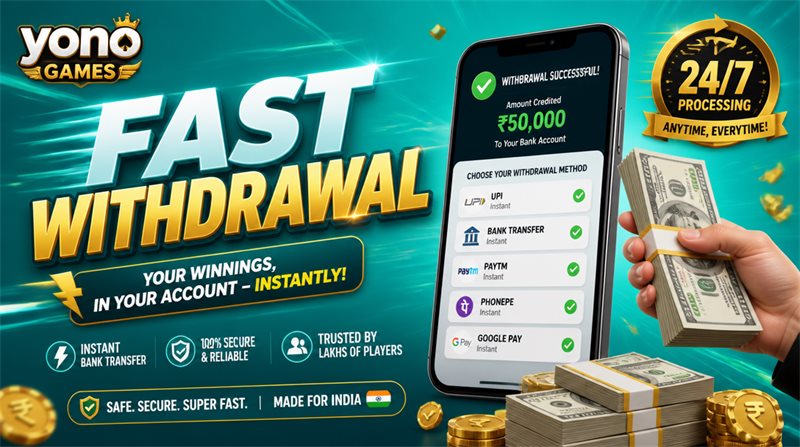
Yono Games has invested heavily in a secure and rapid payment infrastructure. The platform supports multiple withdrawal channels—direct bank transfers and UPI—all protected by encryption. Deposits and payouts are typically processed within hours, and their customer support team is responsive to any issues.
However, like any legitimate gaming site, Yono Games enforces certain conditions (KYC, minimum amount, bonus restrictions) that every player must respect before requesting a payout. Knowing these rules in advance saves you time and frustration.
5 Simple Steps to Request Your Funds from Yono Games
The withdrawal flow is intuitive. Follow these five actions to get your winnings transferred quickly:
Step 1 – Launch the Yono Games App
Open the app on your smartphone and log in with your registered mobile number. Ensure you are using the latest version of the APK to avoid any technical glitches.
Step 2 – Go to the Cash-Out Section
Inside the app, locate the Withdraw button (usually found at the bottom of the screen or inside the wallet menu). Tap it to start your payout request.
Step 3 – Enter the Amount You Wish to Transfer
Key in the amount you want to cash out. The minimum is ₹100 for most versions (some variants may set ₹120 or ₹150). Your main wallet balance must cover this sum—bonus credits are not eligible for direct payout.
Step 4 – Pick Your Payment Method
Choose one of two options:
-
Bank Transfer – direct credit to your registered savings account.
-
UPI ID – instant transfer to your Google Pay, PhonePe, or other UPI handle.
Double‑check your account numbers or UPI ID—any error can stall the transaction.
Step 5 – Confirm and Submit
Review all details, then tap Confirm. Your request enters the processing queue. Once approved, the money will reach your selected account within the stated timeframe.
Mandatory KYC – The Gateway to Any Payout
You cannot cash out from Yono Games without completing your KYC (Know Your Customer) verification. This is a non‑negotiable requirement under Indian financial regulations.
Documents You Must Submit Inside the App:
-
Aadhaar Card – for identity proof.
-
UPI Information – your active UPI ID linked to a bank account.
-
Bank Account Details – full account number and IFSC code.
Why KYC Is Strictly Enforced:
-
Prevents identity theft and fraud.
-
Ensures the payout reaches the rightful owner.
-
Complies with RBI and anti‑money laundering norms.
-
Protects both the platform and its users.
Once you upload these documents and they are verified, your account becomes fully eligible for future payouts.

Minimum Amount and Processing Timelines
Minimum Cash‑Out Limit
The standard floor is ₹100, but check your app version for any variation:
| Yono App Variant | Minimum Payout |
|---|---|
| Standard edition | ₹100 |
| Some older builds | ₹120 |
| Others | ₹150 |
Always confirm the limit before requesting, as requests below this amount will be rejected.
How Long Does It Take?
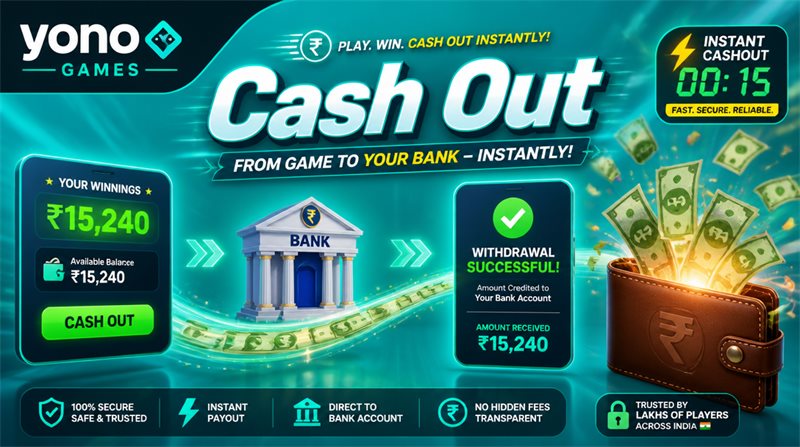
Most payout requests are cleared within 30 minutes to 3 hours. In ideal conditions, you may receive funds in as little as 15 minutes. However, occasional network or bank delays can extend this to up to 24 hours. If you haven’t received money after a full day, it’s time to contact support.
Common Hiccups During Payout and How to Fix Them
Even with a smooth system, issues can arise. Here are the most frequent problems and their solutions:
Problem 1 – Transaction Failed or Money Not Credited
-
Check your transaction history (under Settings) to see the current status.
-
If it shows “Pending,” wait for 24 hours—the system may automatically retry.
-
If it remains stuck, reach out to the Yono Games care centre with your request ID.
Problem 2 – Bonus Balance Cannot Be Cashed Out
Remember: bonus funds are for gameplay only; they are never withdrawable. However, any real winnings generated from those bonus chips are yours to take out. This is a standard industry practice.
Problem 3 – Account Placed Under Review
Sometimes, for security reasons, your account may be temporarily reviewed before a payout is approved. This is normal and usually resolved within a few hours. If it drags on, contact support.
Problem 4 – Delayed Transfer
If your bank or UPI service is experiencing downtime, the payout may be slower. Verify that your KYC documents are fully verified and that you have provided correct payment details. Then, wait patiently or ask support for an update.
Pro Tips for a Seamless Cash‑Out Experience
To ensure every payout request goes through without a hitch, keep these best practices in mind:
-
Complete KYC immediately after registration – don’t wait until you want to withdraw.
-
Maintain a balance above ₹100 – always have enough in your main wallet.
-
Triple‑check your bank/UPI details before submitting.
-
Read the bonus terms – know which winnings are withdrawable and which are not.
-
Only withdraw genuine gaming earnings – never attempt to cash out promotional credits.
-
Stay calm during delays – most are temporary; give it up to 24 hours before escalating.
Is It Safe to Cash Out from Yono Games?
Absolutely—provided you follow the official process. Yono Games uses encrypted payment gateways and adheres to strict data protection policies. Nevertheless, players should exercise common sense:
-
Download the app only from trusted sources.
-
Never share your login OTP or password.
-
Always verify the recipient details on your withdrawal screen.
-
Report any suspicious activity to customer care and your bank immediately.
Frequently Asked Questions About Payouts
Q1: What is the minimum amount I can cash out?
Typically ₹100, but some app versions set it at ₹120 or ₹150—check your app’s wallet page.
Q2: Is KYC compulsory for every payout?
Yes, you must complete KYC (Aadhaar, UPI, bank details) before your first payout request.
Q3: How soon will I receive my money?
Most transfers complete within 30 minutes to 3 hours; occasionally up to 24 hours.
Q4: Can I withdraw bonus money?
No, bonus credits are non‑withdrawable. Only the winnings earned from them can be cashed out.
Q5: What if my payout request is rejected?
Check your transaction history, ensure your balance meets the minimum, and verify your KYC status. If all is correct, contact support.
Q6: Can I send money to any bank account?
Only to the bank account or UPI ID that you registered and verified during KYC. Changes require re‑verification.
Final Thoughts
Cashing out your winnings from Yono Games is a straightforward process once you know the rules. By completing your KYC early, keeping your balance above the minimum, and following the five steps outlined above, you can enjoy fast and secure transfers every time you win.
Play responsibly, stay informed, and never hesitate to ask customer support for help if something feels off. Now that you understand the payout system, you can focus on what really matters—enjoying your favourite games and reaping the rewards.